


Giftful - Gift List & Wishlist
4.7150.00 Reviews
App Specs
- Version
- 2.38.1
- Updated On
- License
- Free
- Downloads
- 100,000+
- Developer
- Giftful
- Categories
- Shopping
- Platform
- Android
Screenshots
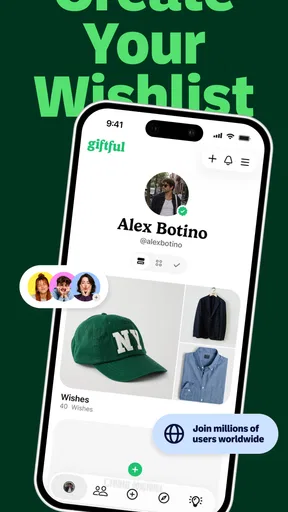
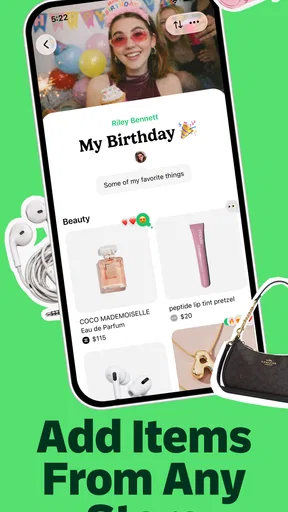
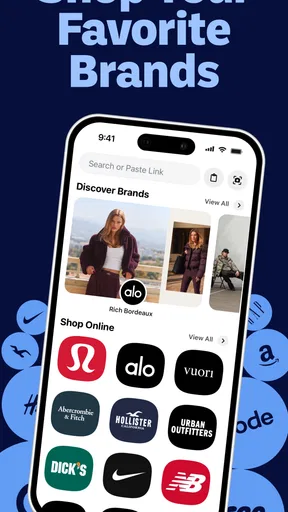
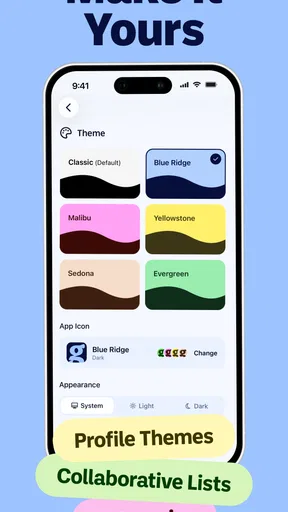
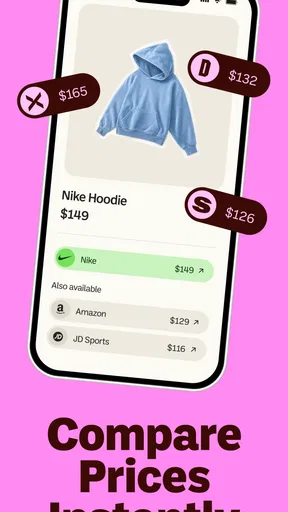
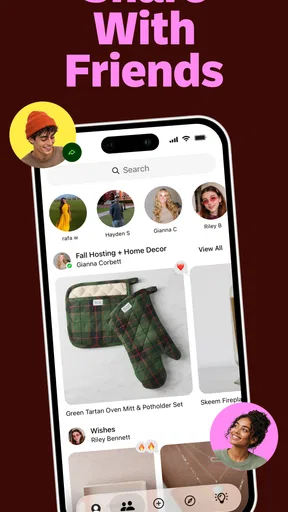
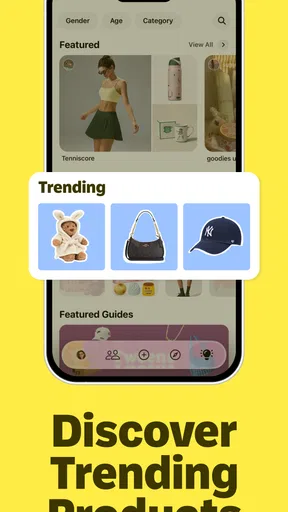
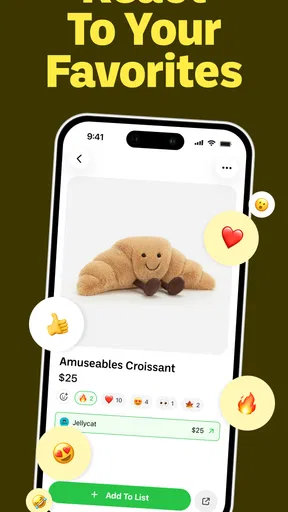
 Analysis by AppCompare
I like gift apps that solve one awkward problem well: helping people say what they want without turning every birthday, holiday, or new-baby celebration into a long message exchange. Giftful is a free shopping app from Giftful built around that simple idea. You create gift lists, add things you would like, and share those lists with the people who may be shopping for you.
That sounds straightforward, but the useful part is the change in conversation. Instead of sending scattered product names through a group chat, I can keep my ideas together and give others one place to check. The app is aimed at gift lists and registries, including birthday and baby-related lists, so it can fit both casual occasions and larger moments where several people may be buying for the same person.
My overall impression is positive, especially for someone who wants a quick, less stressful alternative to maintaining a wishlist in notes, messages, or browser bookmarks. The app has an average rating of 4.7 from around 3.3 thousand ratings, and it has passed 100 thousand installs. Those figures suggest that the basic concept is connecting with real users, but I would still treat it as a focused list-making tool rather than a complete shopping marketplace.
Getting from installation to a useful gift list
Before I add anything, I’d decide who the list is for and what that person needs to know to choose well. I find that a clear occasion and a few well-described ideas make a list more useful than a long collection of vague wishes. That simple setup also makes it easier to judge whether Giftful’s sharing approach fits the way the next section’s readers handle gifts.
What to expect before you begin
Giftful is not the kind of app I would open when I want to browse a huge catalog and discover products through recommendations. Its value starts when I already have gift ideas, or when I want to collect them as they occur to me. That distinction matters. If you expect a retailer with checkout, delivery tracking, and extensive product comparison, this is probably not the right category of tool. If you want a clean place to organize wishes and share them, the purpose becomes much clearer.
The first screen should be approached with one question: what list do I need today? A birthday list for myself is a good starting point because it gives the app an immediate job. A baby wishlist or registry has a different rhythm, with practical items added over time and shared with a wider group. I found it helpful to choose the occasion before adding products, rather than creating one giant list that mixes every future idea together.
The app is free, which removes the most common barrier to trying a list maker. Its content rating is Teen, so families should still consider whether the app suits the age and supervision expectations of the person using it. Giftful runs on Android version 7.0 and later, and the current version is 2.38.1. In practical terms, that makes it accessible to people using older Android devices as well as newer phones.
Worth Reading Before You Choose

EA SPORTS FC Mobile 26 Is a Bigger Football Game, but It Takes Time

Flipboard Shows What News Apps Must Do Beyond the Feed

Switching to Android Auto Means Rethinking Your Driving Routine

Google Calendar Makes a Crowded Week Easier to Manage

Ludo King Makes the Most of the Minutes Between Plans

Baby Panda World Brings Quick Play to Modern Phones, but Its Game Library Feels Busy
Creating the first list without overthinking it
For a first attempt, I recommend making a small list rather than trying to build a perfect registry immediately. Give it a clear purpose, add a few genuinely useful items, and share it only after checking that each entry makes sense to someone who has not been inside your head while you were creating it.
The most important preparation is having enough information to recognize each gift later. A short product name may be fine for you, but a friend may need a brand, size, color, model, or other identifying detail. When I build a list, I think like the person shopping from it: could they distinguish the item I mean from several similar choices? If not, the list needs more context before it is shared.
This is one of the app's quiet strengths. A list is not merely a pile of links or product names; it is a communication shortcut. The better the entries are written, the less follow-up work everyone has to do. I would rather add six clear ideas than twenty vague ones that leave relatives asking which version, size, or style I meant.
Another useful habit is separating urgent wants from nice-to-have ideas. For a birthday, I might put the things I would be happiest to receive near the top and leave more optional items lower down. For a baby list, I would organize around practical needs first and then add personal preferences. Even when the app makes list creation easy, the quality of the result still depends on how thoughtfully the list is arranged.
The first meaningful success: sharing something people can use
The first real success is not simply adding an item. It is sharing a list that another person can open and understand without needing a second explanation. Before I send it, I read it as a guest would. Is the occasion obvious? Are the entries specific enough? Does the list feel complete enough to offer choices without becoming overwhelming?
This is where Giftful can be more useful than a note in a phone. A note is usually designed for the person who wrote it. A shared gift list is designed for a small audience, so the information has to work outside my own memory. I can use a note to remember “the headphones I saw,” but a gift list should identify the exact idea as clearly as possible.
A realistic example is a birthday coming up while family members live in different places. Instead of answering the same question separately, I can prepare one birthday list and send it to the group. One person may choose a practical item, another may pick something more personal, and everyone starts from the same set of ideas. The benefit is not dramatic technology; it is fewer duplicate questions and less chance that two people unknowingly choose the same thing.
For a baby wishlist, the same workflow becomes more valuable because the list may be shared with different groups at different times. I would create the list early, add items gradually, and review it whenever my needs change. That prevents the common problem of sending an old list that no longer reflects what is actually useful.
How it compares with notes, messages, and retailer registries
The usual alternatives each have a weakness. Phone notes are fast and private, but sharing them can feel clumsy and the formatting may not be pleasant for a gift shopper. Group chats are familiar, yet ideas disappear into unrelated messages and people may miss the latest update. Bookmarks are good for saving products, but they rarely explain the occasion or help a group understand which items are still wanted.
Retailer-specific registries can be excellent when every desired item comes from one store. They become less convenient when the list includes products from several places, or when the recipient wants a simple collection of ideas rather than a store-centered shopping experience. Giftful makes more sense in that middle ground: I can think in terms of gifts and occasions instead of organizing my wishes around one retailer.
That flexibility has a trade-off. A dedicated retailer may provide a more connected path from selection to purchase, while Giftful is primarily about organizing and communicating the wish list. I would choose Giftful when the list itself is the priority. I would choose a retailer registry when fulfillment, store inventory, or a tightly integrated purchasing process matters more than keeping ideas together.
Small decisions that make the app work better
One non-obvious decision is whether to keep one permanent wishlist or create separate lists for separate occasions. I prefer separate lists whenever the audience or purpose changes. A birthday list can be personal and playful; a baby registry benefits from practical organization. Combining them may save time at first, but it can make sharing uncomfortable and force people to sort through items that do not apply to them.
A second tip is to review the list from the recipient's point of view before sharing it. If I add a product because I recognize its picture, that may not be enough for someone else. I check the wording, remove ideas I no longer want, and make sure similar items are distinguished. This review step is especially useful when a list has been growing for weeks.
A third trade-off concerns abundance. More choices are not always more helpful. A list with too many loosely related items can feel like homework for the shopper. I get better results when I include a sensible range: a few specific favorites, some practical alternatives, and perhaps one or two ideas at different budgets. The app can hold many wishes, but that does not mean every wish needs to be presented at once.
I also think about timing. Sharing too early can make a list go stale, while sharing at the last minute gives people little time to decide. Giftful is most effective when I treat the list as something to maintain, not something I create once and forget. A quick check before sending it is often more valuable than adding another handful of items.
Common confusion and where the experience may feel limited
The biggest possible misunderstanding is expecting the app to do the shopping for me. Giftful helps me express and share gift ideas; it does not replace my judgment about what to add, how clearly to describe it, or whether a product is still suitable. I still need to think about sizes, colors, compatibility, availability, and personal preferences before considering an entry finished.
Another point of friction is that a shared list cannot automatically understand every family dynamic. Some people want to know what has already been chosen, while others prefer surprises. Some groups are comfortable coordinating purchases, while others want each shopper to act independently. I would agree on the preferred approach with the people receiving the list rather than assuming the app's sharing workflow will settle that question for everyone.
There is also a practical difference between a wishlist and a registry. A wishlist communicates ideas, while a registry often carries stronger expectations about completeness and coordination. For a low-pressure birthday, Giftful feels naturally suited. For a major event where guests need detailed guidance, I would spend more time structuring the list and explaining how I want it used. The app can support the organization, but it cannot make an incomplete list feel complete.
People who rarely share gift ideas may find the whole concept unnecessary. If your family already has an easy tradition that works, adding another app may create more effort than it saves. Likewise, shoppers who want product discovery, price tracking, or a single-store checkout experience may be happier with a retailer's own tools. Giftful is strongest when the problem is scattered gift information, not when the problem is finding the lowest price.
Because this is a shopping app with a Teen content rating, I would also be mindful when creating lists for younger users. A parent or guardian may want to help define what is shared and with whom. That is less about a missing feature and more about using any shared-list service thoughtfully, particularly when a list relates to a child or a family event.
Who will get the most from Giftful?
I would recommend it to people who regularly receive the question, “What would you like?” and never have a good answer ready. It is also a good fit for couples and families who want to reduce duplicate gifts, friends planning birthdays, and parents collecting baby-related ideas over time. The app gives these situations a common reference point without requiring everyone to use the same store.
It is particularly useful for the person in a group who normally becomes the unofficial coordinator. Instead of forwarding several messages and correcting outdated suggestions, that person can maintain a current list and share it when needed. The advantage grows when the group is large enough that repeated explanations become tiring.
I would be more cautious recommending it to someone who wants a detailed financial planning tool for gifts. A list can help organize ideas, but it is not a substitute for agreeing on budgets or deciding how purchases should be divided. Before using it for a group event, I would still communicate expectations directly, especially if some items are expensive or intended to be shared.
My next-step routine after the first list
Once the first list is shared, I would not immediately create several more. I would wait for the first real use and notice what caused questions. Did people understand the item names? Did they need more detail? Were there too many choices? Did the occasion-specific structure make sense? Those answers tell me how to improve the next list more reliably than simply adding more products.
For ongoing use, I would keep the app as a lightweight capture tool. When I notice something I genuinely want, I can add it to the appropriate list while the idea is fresh. Later, I can edit the list before sharing it. This two-stage approach is better than trying to write a polished registry in one sitting: capture freely first, then curate for the audience.
It is also worth checking the app after an update rather than assuming every screen will remain exactly the same. Giftful is developed by Giftful, and the current Android release is 2.38.1. I would keep the app reasonably current so the experience I use for creating and sharing lists matches the version available on my phone.
After using it this way, I see Giftful as a practical bridge between private wish notes and retailer-specific registries. It does not need to become the center of every shopping decision. Its job is narrower and, for the right person, genuinely helpful: turn scattered gift ideas into a list that other people can act on.
My recommendation is to start with one small birthday list, add only items you can describe clearly, and share it with someone who normally asks what to buy. That test reveals the app's value quickly. If it reduces back-and-forth and makes your wishes easier to understand, it is worth keeping for future occasions. If you need checkout tools, price research, or a single retailer's complete registry system, a different shopping option will likely serve you better.
For me, the balance is favorable. Giftful is free, focused, and approachable for a first-time user, while its main limitations come from what it intentionally is not: a marketplace, a purchasing assistant, or a replacement for communication. Used as a thoughtful shared gift-list maker, Giftful makes a small but recurring part of family and social life noticeably easier.
Pros
- Simple way to create and organize gift ideas.
- Shareable lists make it easier for others to choose gifts.
- Useful for birthdays
- holidays
- weddings
- and other occasions.
- Helps prevent duplicate gift purchases among family and friends.
- Clean interface makes browsing saved items straightforward.
Cons
- Some product links may become outdated or unavailable.
- Availability of features may depend on the retailer or region.
- Requires sharing lists to get the most value from the app.
- Wishlist organization can become difficult with many saved items.
- Privacy settings should be checked before sharing personal lists.
FAQs for Giftful - Gift List & Wishlist
What is Giftful – Gift List & Wishlist used for?
Giftful is designed to help you create, organize, and share gift lists for birthdays, holidays, weddings, baby showers, and other occasions. You can add gift ideas from different stores, include useful details such as links or notes, and share a list with friends or family. It can make gift planning easier by keeping preferences and suggestions in one convenient place.
Can I add products from different online stores to a Giftful wishlist?
Yes, Giftful is intended for collecting gift ideas from multiple retailers rather than limiting you to one store. Depending on the product and website, you may be able to add an item using its link or other available sharing options. Product prices, availability, shipping costs, and store policies are controlled by the retailer, so always verify those details before purchasing.
Can I share my Giftful list with friends and family?
Giftful allows users to share gift lists so that invited people can view suggestions and coordinate purchases more easily. Sharing is particularly useful for group celebrations, where it helps reduce duplicate gifts and gives others a clearer idea of what you would enjoy. Before sending a list, review its visibility and make sure you are sharing it with the intended people.
Does Giftful reveal which gifts have already been purchased?
Giftful may provide features that help recipients or list members coordinate purchases and avoid buying the same item twice, depending on the current version and list settings. These tools can be especially helpful for shared celebrations. However, the exact behavior may vary by account, list type, and app updates, so check the available privacy and reservation options before relying on them.
Is Giftful free to download, and are there any limitations?
Giftful may be available to download without an upfront charge, but availability of features can depend on the platform, account requirements, or changes introduced through updates. Some functions may require permissions, registration, or an internet connection. Before using it extensively, review the current App Store or Google Play listing for in-app purchases, supported devices, privacy information, and any applicable limitations.


